Best Budget Mechanical Keyboards Under $50 for Gaming in 2026
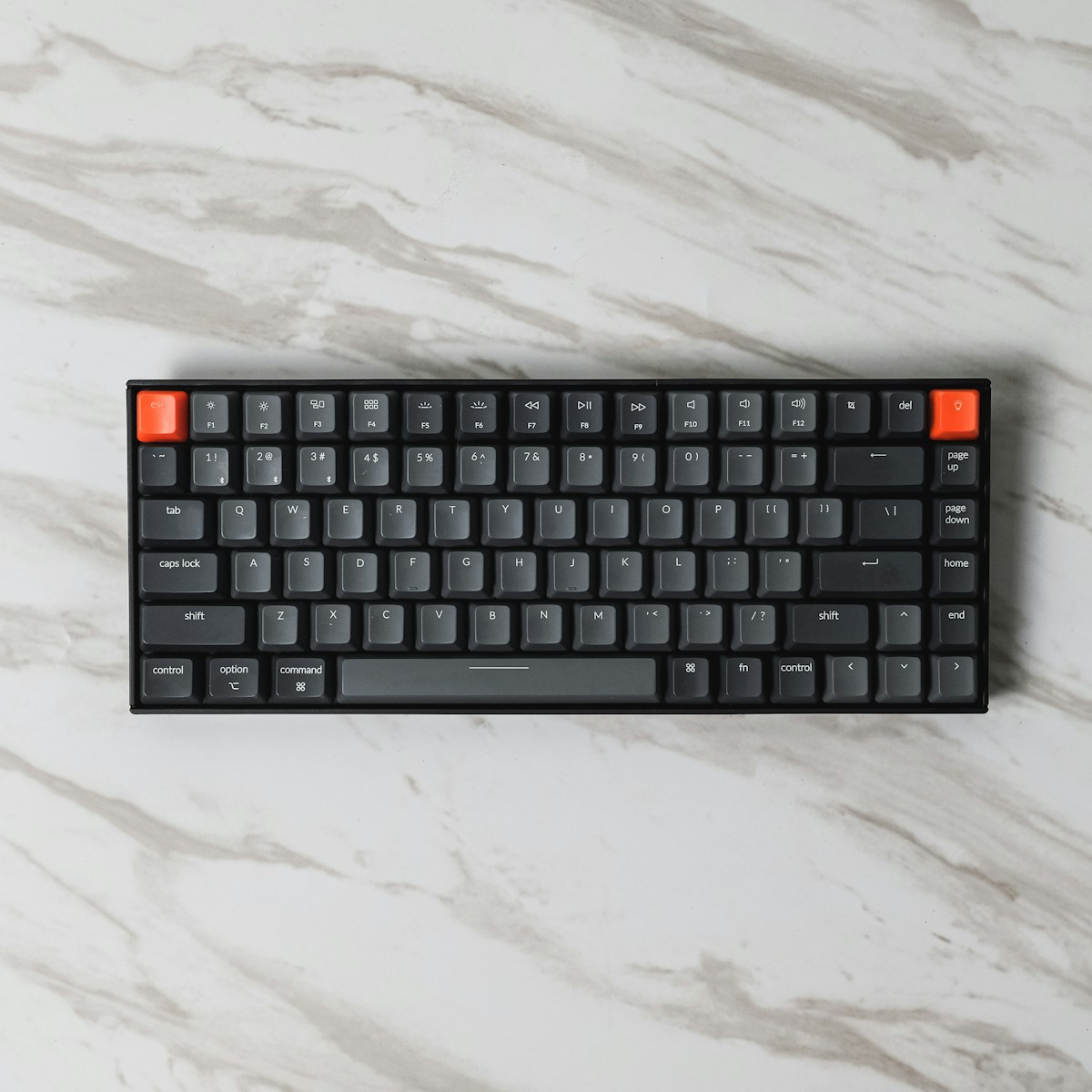
- Primary Signal: Best Budget Mechanical Keyboards Under $50 for Gaming in 2026
- Overview: You no longer need to spend a fortune for a solid mechanical gaming keyboard. These sub-$50 picks deliver hot-swappable switches, decent keycaps, and low latency without the premiu...
- Verification: Analyzed and compiled by GameVault 668 editorial monitoring desk.
A few years ago, a mechanical keyboard under $50 usually meant rattly stabilisers, mushy switches, and a cable you would trip over. That has changed. Budget brands now offer hot-swappable sockets, pre-lubed linear switches, double-shot keycaps, and even wireless connectivity at prices that once bought only a membrane board. For most gamers, the difference between a $45 keyboard and a $120 one is now about refinement, not basic performance.
The first decision is switch type. Linear switches, such as red-style switches, travel smoothly with no tactile bump and are popular for fast-paced shooters. Tactile switches add a small bump that many typists prefer, while clicky switches are loud and best avoided if you share a room. Hot-swappable boards let you change switches later without soldering, which is the single most valuable feature at this price — it turns a budget board into a long-term platform.
Layout matters more than most buyers realise. A full-size board gives you a number pad but eats desk space and pushes your mouse hand further out. Tenkeyless (TKL) boards drop the numpad and are the sweet spot for most gamers. Compact 75% and 65% layouts save even more space but move or remove keys like function rows and navigation keys, so check whether you actually use those keys before committing.
Latency is another area where budget boards have caught up. Most modern budget gaming keyboards poll at 1000 Hz over USB, which is fast enough that the keyboard is no longer the bottleneck in your setup. Wireless budget boards are a little more variable: look for a 2.4 GHz dongle mode rather than Bluetooth alone if you play competitive games, since Bluetooth adds noticeable delay.
Build quality is where you should inspect carefully. A board with a plastic case can still feel solid if it has a metal mounting plate and decent stabilisers. The spacebar, enter, and shift keys are the usual giveaway — if they rattle loudly, the stabilisers are cheap. Many budget boards now ship with pre-lubed stabilisers or clip-in designs that are far quieter than the old wire-and-plastic rattle traps.
Keycaps deserve a mention too. ABS keycaps are common at this price and feel smooth, but they shine and wear faster. PBT keycaps resist shine and feel slightly textured, and they are increasingly available under $50. Double-shot PBT is the best combination: legends that never fade and a durable feel. If a board you like ships with thin ABS caps, you can always swap them later on a hot-swappable board.
Finally, ignore the marketing around RGB. Backlighting does not affect performance, and per-key RGB on a budget board sometimes comes with worse software. A simple, well-built board with solid switches, a standard layout, and hot-swap sockets will serve you far longer than a flashy board with gimmicks. Spend the money you save on a good mouse or a larger mousepad — those will improve your aim more than any keyboard ever will.
Do not overlook the software. Some budget keyboards require a companion app for macros, lighting profiles, and firmware updates, and the quality of that software varies wildly. Look for boards with onboard memory, which store your settings on the keyboard itself so they work on any computer without the app running. Check whether firmware updates are offered and whether the software requires an account or a constant internet connection — some budget brands are fine here, others are not. A board with good hardware but annoying software will frustrate you every day, so read software reviews before buying, not just hardware reviews.
📖 Continue Reading the Full Story
Continue reading this article on GameVault 668.
⚡ Access Full Content NowMore from GameVault 668



 📦 Free2Rich Vault
The Pay Yourself First Budgeting Method: A Step-by-Step Guide for Beginners
The pay yourself first method flips the usual budgeting order: savings leave your account on payday, and you b...
 ⚡ CyberTech 568
Best Budget Wireless Earbuds Under 50 Dollars in 2026
What actually matters when buying budget earbuds: ANC, codecs, battery, and fit - plus which models reviewers ...
 🎰 WinBar VIP
Die besten Codes ohne Einzahlung: Oktober 2026
Schauen Sie sich die besten Online-Casino-Boni ohne Einzahlung für Oktober 2026 an....
 💎 LuxeLiving 768
How to Check DNS Records of a Domain: A Beginner's Guide
Checking a domain's DNS records takes under a minute once you know the tools. This guide covers online lookup ...