Best PS5 SSD in 2026: How to Pick the Right Drive Before GTA 6
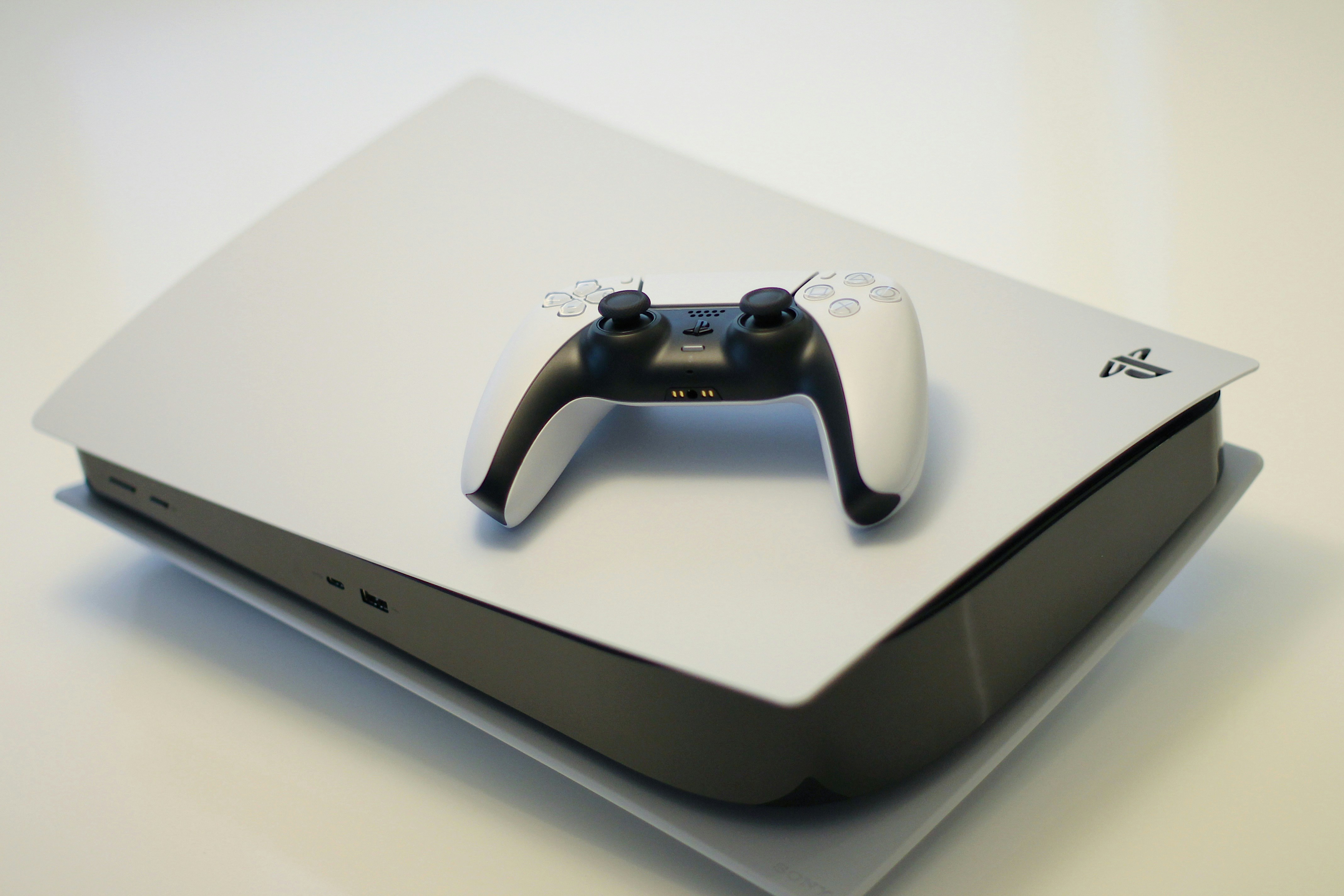
- Primary Signal: Best PS5 SSD in 2026: How to Pick the Right Drive Before GTA 6
- Overview: With GTA 6 looming and PS5 storage filling fast, an SSD upgrade is essential. Here are Sony's exact requirements, the best drives by budget in 2026, and a 15-minute installation gu...
- Verification: Analyzed and compiled by GameVault 668 editorial monitoring desk.
The original PS5 ships with 825GB of storage, and only about 667GB of that is actually usable. With modern blockbusters regularly passing 100GB each, and GTA 6 expected to eat close to 200GB, that space disappears fast. The fix is Sony's built-in M.2 expansion slot, and installing a drive takes about fifteen minutes with a single screwdriver. But not every SSD works, and buying the wrong one is an expensive mistake. Here is how to pick the right drive for your PS5 in 2026, what the specs actually mean, and which models are worth your money.
Sony's requirements are simple and non-negotiable. The drive must be a PCIe Gen4 x4 NVMe M.2 SSD, between 250GB and 8TB, rated at 5,500 MB/s sequential read or faster, and it must have a heatsink or heat transfer sheet. The total drive-plus-heatsink height must stay under 11.25mm, which is the rule most buyers get wrong: many desktop heatsinks are too tall for the PS5's expansion bay. SATA M.2 drives look identical but are rejected outright, and cheap DRAM-less drives that rely on Host Memory Buffer run slower on PS5 because Sony's console does not support HMB. The practical takeaway is to buy a drive sold with a pre-fitted, PS5-compatible heatsink, in the 2280 size, from a brand with a real warranty. Do not chase the highest speed number on the box: the PS5 caps what it draws from the drive, so drives rated between 7,100 and 7,450 MB/s all test within a narrow band in the console's own benchmark.
For most players, the WD_BLACK SN850X 2TB with heatsink is the default choice. It reads at up to 7,300 MB/s, carries a DRAM cache so huge installs do not stall, and roughly triples your usable space. The Samsung 990 PRO 2TB with heatsink is the premium alternative, with class-leading random read performance that matches how the PS5's I/O system actually works. On a tighter budget, the Crucial P310 2TB is one of the cheapest drives that comfortably clears Sony's bar, and the WD_BLACK SN7100 2TB is a strong mid-range value. If you never want to manage storage again, the Samsung 990 PRO 4TB ends the deleting-and-redownloading cycle entirely, though you pay more per terabyte. One warning for 2026 buyers: NAND flash prices have climbed sharply this year on AI demand, so 2TB drives cost noticeably more than their old lows. Check price history before buying, because prices swing a lot between retailers.
Installation is genuinely simple. Update your PS5 to the latest system software first, then power it off fully and unplug every cable. Remove the side panel, unscrew the M.2 bay cover, and move the retaining screw and spacer to the hole matching your drive's length, which is 2280 for nearly every drive sold today. Slide the SSD into the slot at a slight angle, press it flat, screw it down, and replace the cover and panel. When you boot up, the PS5 will prompt you to format the drive, and its built-in speed test will confirm the drive passes. After formatting, go to Settings, then Storage, and set new installs to go straight to the expansion drive. Moving existing games is just as easy from the same menu, and games loaded from the expansion drive perform essentially identically to games on the internal drive.
If you play a handful of games at a time and delete finished ones promptly, 1TB is enough and costs far less. If you keep a large library installed, rotate between several live-service games, or want to preload GTA 6 without deleting half your collection, 2TB is the sweet spot, and 4TB is the buy-once option. Either way, an SSD upgrade is the single best quality-of-life improvement you can make to a PS5 in 2026. It ends the storage anxiety, it takes minutes, and it is fully warranty-safe because Sony designed the slot for exactly this purpose.
📖 Continue Reading the Full Story
Continue reading this article on GameVault 668.
⚡ Access Full Content NowMore from GameVault 668


 🎰 WinBar VIP
Die besten Codes ohne Einzahlung: Oktober 2026
Schauen Sie sich die besten Online-Casino-Boni ohne Einzahlung für Oktober 2026 an....
 💎 LuxeLiving 768
Best Private Villas for a Honeymoon in 2026
A private villa can make a honeymoon unforgettable — if you get privacy, location, service, and design right. ...
 🍿 CosmoCinema 998
Best New TV Shows to Binge This Weekend in Fall 2026
Fall 2026 has delivered a strong run of new series across streaming. Here are the freshest shows worth startin...
 🏆 2026 World Cup Central
Best Food Near World Cup 2026 Stadiums: What to Eat on Matchday
From tacos in Guadalajara to barbecue in Kansas City, every World Cup 2026 host city has a signature matchday ...