How to Make Your PS5 Controller Battery Last Longer
- Primary Signal: How to Make Your PS5 Controller Battery Last Longer
- Overview: The DualSense drains fast, but a few settings changes and charging habits can add hours per charge. Learn which features cost the most power and which battery tips are myths....
- Verification: Analyzed and compiled by GameVault 668 editorial monitoring desk.
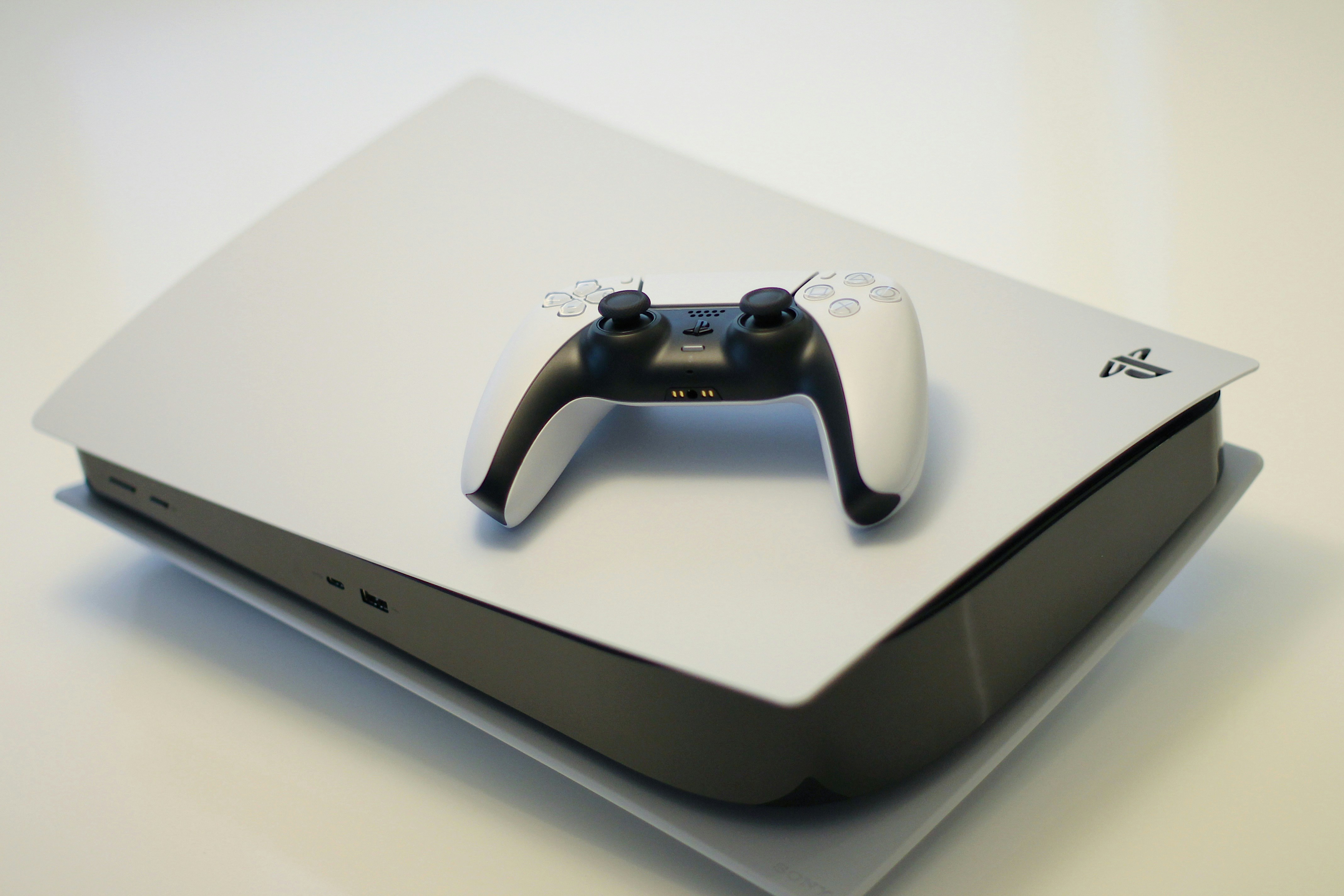
The DualSense controller is one of the best controllers ever made, and it also has one of the shortest battery lives in modern gaming. Most players get six to ten hours per charge, and heavy use of haptic feedback and adaptive triggers can drain it faster. If you are tired of your controller dying mid-session, the good news is that a few simple settings and habits can stretch that battery noticeably, without buying anything. Here is what actually works, and what is a myth.
The biggest power drains are the features that make the DualSense special: haptic feedback, adaptive triggers, the speaker, and the light bar. On PS5, go to Settings, Accessories, Controller, and lower vibration intensity and trigger effect intensity from Strong to Medium or Weak. This single change can add an hour or more per charge, and most players barely notice the difference in gameplay. Turning off the controller speaker and muting the built-in microphone when not in use also helps, since both draw power continuously. The light bar cannot be turned off entirely, but dimming it to Low in the same menu saves a small amount. If you play mostly single-player story games, try Weak for both vibration and triggers; for competitive shooters, keep triggers at Medium so you still feel the feedback that matters.
The DualSense uses a lithium-ion battery, and like all such batteries, it degrades faster when it is constantly held at 100 percent or drained to zero. Avoid leaving the controller plugged in overnight every night on a charging dock, and try not to play until it dies completely on a regular basis. The healthiest pattern is charging when it drops to around 20 to 30 percent and unplugging once it is full. If you use a charging dock, take the controller off once charged rather than leaving it docked for days. Heat is the other enemy: do not charge the controller on top of a hot console or in direct sunlight, and let it cool down after long sessions before plugging it in. These habits will not double your battery life today, but they slow the degradation that makes a two-year-old controller die in four hours.
A few other settings make a real difference. Set the controller to turn off automatically after ten minutes of inactivity, so a forgotten controller does not drain overnight. Lower your headset volume if you use the controller's headphone jack, since driving headphones draws power from the controller's battery. If you play with the controller wired via USB, the battery charges while you play, which is the simplest fix of all for long sessions, and wired play also slightly reduces input latency. For players who want a hardware solution, a high-capacity replacement battery kit exists, but it requires opening the controller and voids any remaining warranty, so it is best saved for controllers already out of warranty. A second controller, rotated between sessions, is the simpler and safer upgrade.
A few common tips are myths. Turning off Bluetooth and using a cable does not meaningfully extend wireless battery life, because the controller still powers its own systems. Third-party battery saver apps do not exist for PS5 controllers, and any app claiming to boost DualSense battery from your phone is a scam. Freezing the battery or fully discharging it to calibrate are old nickel-battery tricks that harm lithium-ion cells. The honest answer is that the DualSense battery is a hardware limit, and the best you can do is manage it well: lower the power-hungry features, charge sensibly, and keep a cable or a second controller nearby. With those habits, most players stop thinking about battery life entirely, which is the real goal.
📖 Continue Reading the Full Story
Continue reading this article on GameVault 668.
⚡ Access Full Content NowMore from GameVault 668


 🎰 WinBar VIP
Die besten Codes ohne Einzahlung: Oktober 2026
Schauen Sie sich die besten Online-Casino-Boni ohne Einzahlung für Oktober 2026 an....
 🔥 ViralBuzz 168
Die 15 größten Veränderungen, da plastische Chirurgie und Gewichtsverlust die Emmys 2026 dominieren [Daten für 2026 als korrekt bestätigt.]
Während bei den Emmy Awards 2026 goldene Trophäen an die talentiertesten Stars verliehen wurden, fällte das In...
 📈 1UpTrade Live
Betting Overround Calculator: Find the Bookmaker's Margin
Calculate the betting overround to see exactly how much margin the bookmaker takes. Compare books and find the...