How to Clean PS5 Controller Buttons That Stick
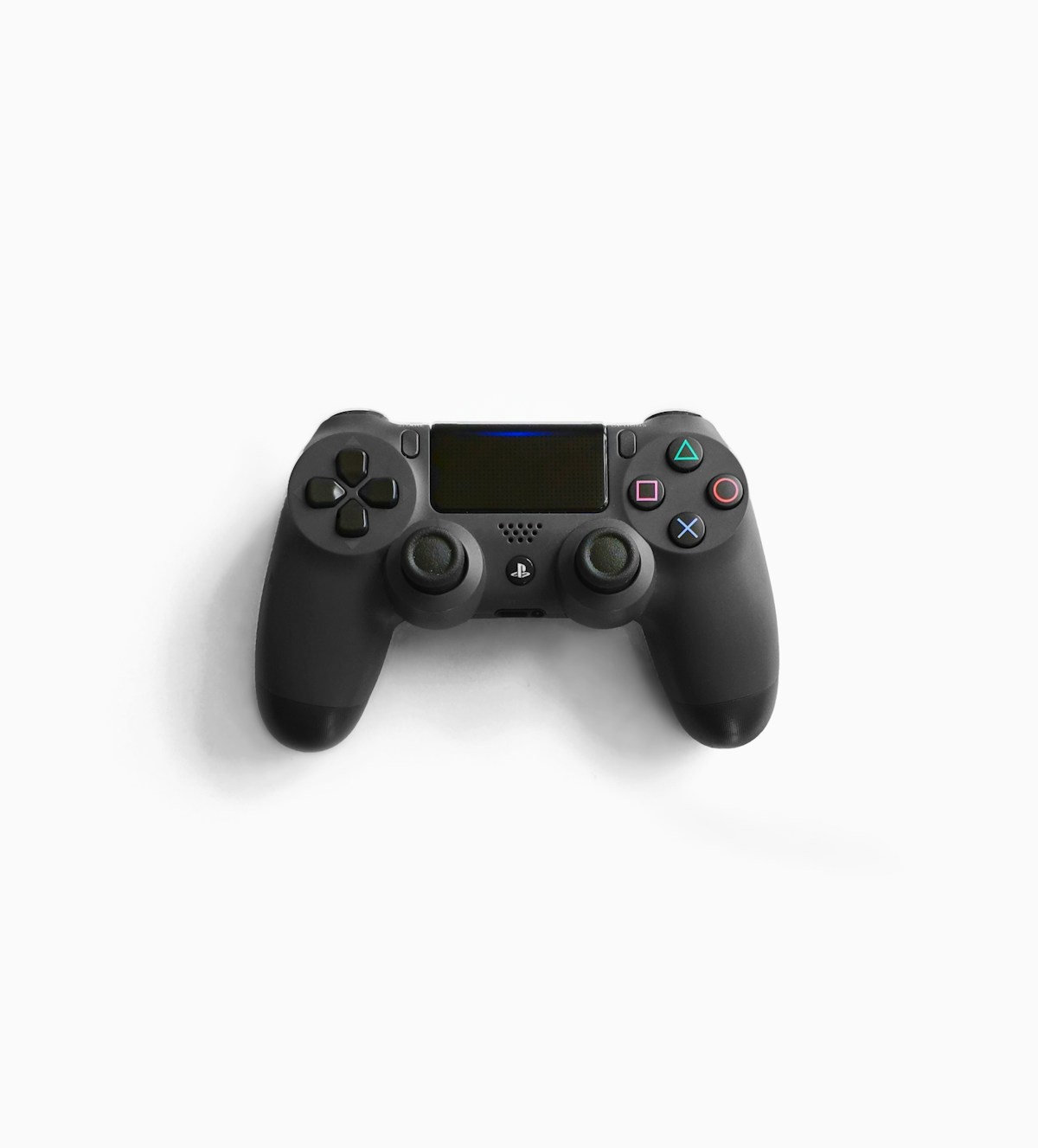
- Primary Signal: How to Clean PS5 Controller Buttons That Stick
- Overview: Sticky PS5 buttons are usually caused by spills, dust or worn coatings, not a dead controller. This guide shows how to clean them safely without opening the case....
- Verification: Analyzed and compiled by GameVault 668 editorial monitoring desk.
Sticky buttons are frustrating: a jump button that stays down, a trigger that feels gummy, or a face button that needs two presses to register. In most cases the cause is simple, a spilled drink, snack residue, dust, or skin oils that have built up around the button edges over months of play. The good news is that you can usually fix this without opening the controller or voiding anything, as long as you clean gently, use the right supplies, and give everything time to dry properly.
You do not need specialist tools for this job. Gather a soft microfibre cloth, cotton swabs, a can of compressed air, and a small bowl of warm water. For stubborn grime, add a tiny amount of mild dish soap to the water, or use isopropyl alcohol at 70 percent, which evaporates quickly and is safe for plastics when used sparingly. Avoid paper towels, which can shed fibres and scratch glossy surfaces, and avoid abrasive pads, scouring cloths and household cleaners. Work on a clean, dry table with good light, and keep a second dry cloth nearby so you are never tempted to leave liquid sitting on the controller.
Start with the controller switched off and disconnected. Blow compressed air in short bursts around each sticky button to dislodge loose dust, holding the can upright so no liquid propellant escapes. Dampen, never soak, a cotton swab with your cleaning solution and wipe carefully around the rim of the sticky button, then press the button repeatedly, gently, so the cleaning action reaches the edges. Wipe away loosened grime with the dry cloth, and repeat with a fresh swab until the button moves freely. Work one button at a time so you can tell which one improved, and never force a button that resists, since forcing it can damage the mechanism underneath.
Some cleaners do more harm than the stickiness itself. Never pour water, alcohol or any liquid directly onto the controller, and never submerge it, because liquid can reach the battery, circuit board and stick sensors. Avoid bleach, acetone, nail polish remover, window cleaner and abrasive creams, all of which can dissolve coatings, cloud plastics or damage rubber grips. Do not poke toothpicks, pins or metal tools around buttons to scrape grime away, since a slip can scratch the shell or break a button clip. If a spill was sugary or sticky, patience and repeated gentle wiping beat aggressive scrubbing every time.
Drying is the step most people rush, and rushing it causes new problems. After cleaning, leave the controller button-side up in a well-ventilated room for at least two to three hours, longer if you used water rather than alcohol, and do not use a hairdryer on a hot setting, which can warp plastics. Do not charge or switch the controller on until it feels completely dry to the touch, including around the button rims and seams. Then test each button in a game menu first, pressing it slowly and quickly, checking that it registers once per press and springs back cleanly. If one button still sticks, repeat the gentle clean once more rather than increasing force or liquid.
A few habits keep buttons clean far longer than repeated deep cleans. Wash and dry your hands before long sessions, especially after eating, and keep drinks in a closed bottle away from the controller rather than in an open glass beside it. Wipe the controller with a dry microfibre cloth once a week, and store it face up in a clean spot rather than in a bag with crumbs and dust. If you play daily, a silicone cover can protect the shell, although it should be removed and cleaned itself regularly. These small habits take seconds and prevent the slow build-up that eventually makes buttons feel gummy.
Sometimes cleaning helps for a day and the stickiness returns, or a button stays down even when clean and dry. That pattern suggests a worn spring, a damaged rubber membrane, or residue that has seeped inside the mechanism, and no amount of surface cleaning will fix it permanently. Check whether the controller is still under warranty before opening anything, since opening the case usually voids it. Outside warranty, compare the cost of a professional repair with a replacement controller, and remember that a repair shop can often replace a single button assembly cheaply. Do not keep playing with a button that sticks in competitive games, since it will cost you matches and may damage other inputs.
Most sticky PS5 buttons need nothing more than gentle cleaning, patience and proper drying. Clean one button at a time, avoid harsh liquids and sharp tools, and let the controller dry fully before you play again. If cleaning does not hold, that is useful information too: it tells you the fault is inside, and a repair or replacement is the sensible next step.
📖 Continue Reading the Full Story
Continue reading this article on GameVault 668.
⚡ Access Full Content NowMore from GameVault 668


 🎰 WinBar VIP
Sticky vs Non-Sticky Casino Bonus: Which One Is Actually Better?
Sticky and non-sticky bonuses look identical in the promotions lobby but behave completely differently at the ...
 ⚡ CyberTech 568
Best Free AI Voice Changer for Gaming in 2026
A good voice changer adds fun to game night without lag or robotic audio. Compare the best free options for Di...
 ₿ Lucky Satoshi
Why Is My Bitcoin Casino Deposit Pending or Unconfirmed?
A pending bitcoin casino deposit is usually waiting on blockchain confirmations or the casino's payment proces...
 ☁️ FreeSky Cloud
Best Windows 11 Settings for Gaming PC in 2026 (Reddit-Approved Tweaks)
Game Mode, GPU scheduling, power plans, and clean driver installs — the Windows 11 settings experienced PC gam...